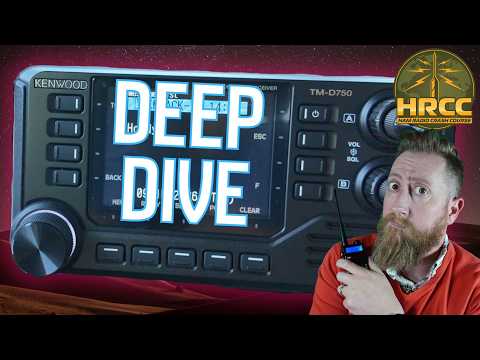
[@HamRadioCrashCourse] Kenwood TM-D750 Advanced Features!
Link: https://youtu.be/qugYmUYvs8Q
Duration: 53 min
Transcript: Download plain text
Short Summary
This Ham Radio Crash Course episode, a patron-picks follow-up, dives into advanced features of the new Kenwood D750 triband mobile radio, including APRS message groups, digipeating, crossband repeat, DV Gateway direct mode, wireless op mode, and the voice guidance accessibility system. The host demonstrates each feature live, links to reflector 14 Charlie from the KI6NAZ station, and notes that most advanced functions do not work on the 220 MHz band. The segment closes with comparisons to the upcoming Icon touchscreen radio and a workaround for the Kenwood microphone clicking issue.
Key Quotes
- "people just be leaving their stuff on default. You can blast everybody on APRS uh using a tip that I will be showing you here very shortly." (00:01:33)
- "Digiping is handy when you are going to hike around somewhere with a handheld. It looks for your call sign and that's what it uh go sends out for those you know that may be interested in following along and you need the more power to get your transmit out." (00:13:51)
- "I'm not tied to RF distances now. I'm only tied to uh the actual internet connection of those repeaters in the area." (00:21:11)
- "if you absolutely have to do 220, then obviously the Kenwood is pretty much the only game in town. Like, it is kind of the premier radio for 220 right now. Particularly, obviously, if you're in the United States, it's going to be the way to go." (00:46:45)
- "spoiler, I'll just give you the spoiler. It's pretty easy. You just use the panel cable as the mic extension cable and then you just use regular Cat 5 cable for the panel. That's it." (00:48:33)
Detailed Summary
Ham Radio Crash Course — Kenwood D750 Advanced Features (Patron Picks)
Episode Context
This Ham Radio Crash Course segment is a producer-level Patreon patron-picks follow-up, revisiting the Kenwood D750 (and D75) to cover advanced features not included in the earlier intro episode. Manuals for the TM-D75 and D750 are linked in the video description, and DX Engineering is listed as a purchasing option with an affiliate code.
- The D750 is a triband mobile radio, but the host repeatedly emphasizes that most advanced features (digipeating, crossband repeat, APRS groups) do not function on the 220 MHz / 1.25 m band, and the radio is not full-duplex on 220.
- This episode serves as a deep-dive companion piece to a prior introductory episode on the same hardware.
APRS Message Groups
APRS message groups are configured under Menu > APRS > 595, with default groups including an "ALL" group that broadcasts to every APRS station. The host demonstrated the feature live during the stream.
- A live demo blasted an "aoy" message to the ALL group, prompting an immediate response from a listener in Mexico.
- Text entry on the D750 keypad is T9-style, which the host found frustrating, especially for longer APRS messages.
- An APRS message was initially stuck in KISS mode and failed to transmit until the mode was corrected.
Digipeater Function
The digipeater function is found under Menu > APRS > 580, where enabling "digipeat my call" makes the radio retransmit the operator's own beacon. The host demonstrated this capability using the operator's own KI6NAZ callsign.
- Demonstrated live: the D75 retransmitted the operator's KI6NAZ beacon with digipeat-my-call ON.
- Recommended use case: hiking with a handheld, where the mobile extends transmit range so others can follow along.
- 220 MHz caveat: digipeating does not work on the 220 band, consistent with the broader 220 feature restrictions.
Crossband Repeater
The crossband repeater was configured with VHF 145.030 MHz receive and UHF 446.150 MHz transmit, with repeater mode set to crossband for bidirectional communication. The test call used the operator's phonetic callsign "Kilo India 6 November Alpha Zulu" (KI6NAZ) on 2 m/70 cm crossband.
- Crossband mode on this radio does not allow remote control; wireless operation is a separate capability demonstrated later.
- Activation requires a power cycle: hold the power button and the lower-left button together until the radio beeps.
- During testing, receive was shown in green and transmit on the lower channel.
DV Gateway / D-STAR Direct Mode (DAR)
DV Gateway direct mode is accessed via Menu 6 → 5, with the DV gateway mode set to Direct mode; the callsign needs a sub-ID such as A or B (not G). Auto-updating reflector hosts are enabled in menu 664, with the type set to global in 662 (Japan uses a different type).
- Direct mode bypasses RF distance and connects only to internet-linked repeaters; the operator linked to reflector 14 Charlie via K6SOA Laguna Beach.
- The host successfully made a contact on 14 Charlie using the Kenwood D750 in direct-connect mode, with audio described as rough but functional.
- APRS can still run on the B channel while the VFO lower is used for the gateway, allowing for multi-feature simultaneous operation.
Wireless Op Mode (Legacy "Sky Command")
Kenwood historically offered Sky Command on the TS2000, D74, and D710, using DTMF tones to remotely control a radio; it is no longer branded as Sky Command. On the D750, this functionality is referred to as "wireless op mode," accessed via Menu 94 (auxiliary) where a secret access code is set and matched on a Kenwood handheld.
- Entering wireless op mode requires powering on while holding a secondary button, then waiting for a beep.
- The host could not get the DTMF frequency commands to work live (testing 145.150 MHz) and attributed this to running standard base firmware without prior setup.
- Exit procedure: hold the power button together with the secondary button until a beep sounds.
- The host speculated Sky Command was dropped because too few users were interested.
Voice Guidance (Accessibility)
Voice guidance is located under Menu 9 2 2, with modes including manual, auto 1, and auto 2, and configurable sub-options for voice guidance volume, speed, and call-sign readout. The host tested the feature live in auto 1 and auto 2 modes.
- The voice system announced memory channels, VFO frequencies (e.g., 446.35, 446.5 MHz), and APRS status — the host rated it as "pretty good."
- Highlighted as a meaningful accessibility feature for operators with sight or hearing difficulties.
220 MHz Notes and Icon Radio Comparison
Despite the feature limitations on 220 MHz, the host successfully transmitted an APRS beacon on 223 MHz (and later 223.520 MHz) to demonstrate that APRS still works on 220. The host identified the Kenwood as essentially the only 220 MHz mobile radio option currently available in the US market.
- Icon has promised a future firmware update that will enable APRS on its touchscreen radio, which includes a full QWERTY keyboard, making APRS message entry much easier than the Kenwood's nine-key T9 input.
- A side-by-side audio quality comparison between the Kenwood and Icon radios has not been done yet; the host plans an in-stream comparison requesting 10–15 minutes of setup time.
Hardware Tips
USB audio can be set to AF or external data, and GPS/APRS output can be routed to the main unit body, the panel/screen, or via Bluetooth. The host configured KISS TNC output to Bluetooth and pointed it at the TMD75, routing APRS data to the APRSdroid Android app while keeping GPS over USB-C.
- Viewer tip from "Cyber Radio": program the radio using the body rather than the panel because the panel experience is much slower.
- Viewer "Joseph" noted that the D75 and D750 share very similar menu and memory systems, so prior D750 tutorials largely apply to the D75.
- Microphone clicking fix: use the panel cable as the mic extension and a regular Cat 5 cable to the panel, joined by the included barrel connector; the included panel cable is male-to-male (identical to the extension cable), so a barrel connector is required.
- The microphone clicking workaround may only apply to the transmitting/broadcast side and not to receive.
Live Stream Notes
A 4DX (callsign) balloon launch of "Abun" was scheduled for about 30 minutes into the stream, with a tracking link in the live chat. The host used a Duke Nukem "kick ass and chew bubble gum" line when responding to a caller who mentioned KH2 SDR.
- Discord live Q&A prioritizes newcomer questions first; the link is in the video description under the live-stream section.