[@HamRadioCrashCourse] Setting Up an M17 Hotspot - It Actually Works in 2026!
· 4 min read
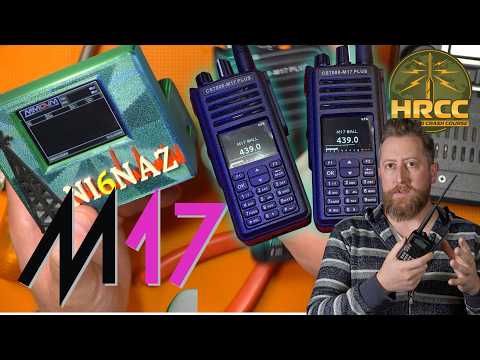
Link: https://youtu.be/DyiUrrL7zeE
Duration: 14 min
Transcript: Download plain text
Short Summary
Josh (KI6NAZ) demonstrates how to get a CS7000 dual-mode radio working on the M17 digital voice mode by setting up a Raspberry Pi Zero 2 W hotspot using the WPSD-M17 community fork of MMDVM. After configuring hostname M170, node callsign KI6NAZ, alter-ego N6NAZ, and frequency 446.550 MHz, he connected to the KCW reflector and confirmed on-air operation with W0AO. He also urged the OpenSpot team to add native M17 support and teased upcoming M17 video updates.
Key Quotes
- "the MMDVM thing kind of sucks and they're using a fork." (00:00:07)
- "MMDVM for M17 does not run very well when you are running on a 1 watt Pi light or Pi zero." (00:00:02)
- "hint hint hint hint to spot, guys. Can we Can we maybe do that? Can we Can we get Can we get M17 on the open spot? That would really make my day a lot easier." (00:00:13)
- "Make really sure that you're not screwing this up, cuz you could flash onto your hard drive here, and you could kill it. I cannot It's It affears me. It affears me." (00:00:05)
Detailed Summary
Episode Overview
- Josh (callsign KI6NAZ) walks through getting a CS7000 dual-mode handheld working on the M17 digital voice protocol, both on simplex and through a self-built M17 hotspot.
- The episode is part tutorial, part ham-radio personal narrative, blending hardware choices, software configuration, and on-air validation.
Hardware Setup
- The CS7000 is a dual-mode radio switched into DMR by holding a button; Josh's real focus was getting it running on M17.
- His original Raspberry Pi Zero 1W was too underpowered for MMDVM-based M17, so he upgraded to a Raspberry Pi Zero 2 W (the 2-watt variant).
- Pricing note: Pi Zero 1W is $38, while newer Pi Zero models list at $95.
- To mount a hotspot HAT, he installed doubled-up side-by-side pin headers (two stacks of five pins on each end) on the Pi Zero 2 W.
- The hotspot itself was originally made by another ham who handed it over at Hamvention with a misspelled callsign; the maker later sent a replacement, which Josh misplaced.
- A Nextion enhanced display with a driver on the modem board was used, and brightness was bumped during configuration.
Software Choice and Image
- Instead of the M-spot script on GitHub, Josh used the WPSD-M17 community fork of MMDVM, which he called the last known working version that supports M17.
- He flashed the WPSD-M17-RPi-Bookworm image to a 32 GB microSD using Raspberry Pi Imager.
- After first login, he recommended immediately changing the default Pi-Star password in the admin section.
- WPSD is reachable on the LAN via the hostnames WPSD-HTTP or WPSD.local, or via the device's IP.
Hotspot Configuration
- Hostname: M170
- Node callsign: KI6NAZ
- Alternate/altered-ego callsign: N6NAZ
- Frequency: 446.550 MHz (chosen to align with his existing repeater/radio setup)
- Timezone: Los Angeles
- M17 mode enabled; DMR ID and NXDN fields left blank.
- A short profile named KI6NAZM17 was saved to simplify later reconfiguration.
- The presenter also built a second hotspot using a Pi Zero 2 W with a screen, noting the first was overkill for the project.
Network and On-Air Testing
- The hotspot was connected to the KCW (Kansas City Wide) M17 reflector on module A, which he described as the most popular "watering hole" (modules B and C also available).
- Contact W0AO tested the setup on the air and reported good audio, confirming the hotspot was operational.
Opinions and Outlook
- Josh was blunt that MMDVM's M17 support "kind of sucks" because M17 lives on a fork, and he publicly urged the OpenSpot team to add native M17 support.
- He teased upcoming M17 videos, citing new updates that are "coming down the pipe" without sharing further details, and declined to name the ham who originally built the hotspot to avoid drawing attention.