[@HamRadioCrashCourse] Instantly Find And Program Repeaters - RepeaterBook Connect!
· 4 min read
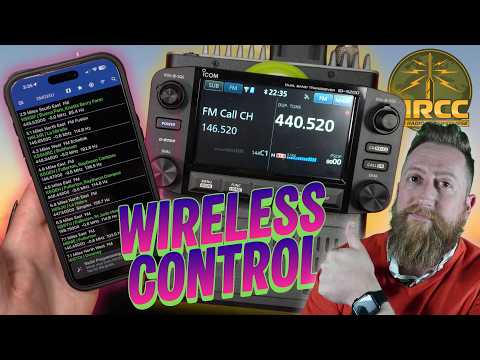
Link: https://youtu.be/EP8MzA-AlXE
Duration: 12 min
Transcript: Download plain text
Short Summary
This segment demonstrates RepeaterBook Connect, a $15/year subscription that pushes repeater data from the app to compatible Icom radios over Bluetooth, with the host Josh using an Icom 5200 to test the feature live, including a successful key-up of the Sunset Ridge AllStar repeater after waiting out an existing QSO.
Key Quotes
- "For as long as I've been a ham, you always have had to program your radios. You'd go into the memories, make sure that you have the appropriate repeater set, and then you could talk on that repeater. And then you use the scan to go through your memory channels. It was a process. You bought software like RT Systems or you use software like Chirp to be able to define it. And a lot of it was driven from RepeaterBook." (00:00:45)
- "But RepeaterBook recently added RepeaterBook Connect. And what this allows you to do is yes, for a price of $15 a year, you can try this out if you want, it will allow you to select a repeater from your from your app and have it automatically transposed over to your radio assuming you have some kind of a wireless connection." (00:01:10)
- "Supported radios are almost all of the Icom radios that are available today assuming you have Bluetooth capability. And a lot of them require an actual interface that you have to buy." (00:01:37)
- "Uh repeater membership seems insane to me that we're in this day and age, but it's convenient, and they have a good app for integration." (00:09:04)
- "It's $4 and cents, and I know that makes hams angry, but this is convenient as as all get out. And so, often time, I will pay a dollar a month if you make my life easier." (00:09:18)
Detailed Summary
RepeaterBook Connect — Feature Demo
Overview
- What it is: A new add-on to the RepeaterBook app that lets users pick a repeater on the app and have it sent to the radio wirelessly (e.g., Bluetooth), rather than typing frequencies in by hand.
- Cost: $15 per year — the host frames it as "a little over a buck a month."
- Radio compatibility: Almost all current Icom radios with Bluetooth.
- Immediately supported: IC-52 Plus, IC-705.
- IC-5200 has the hardware built in but needed an in-app configuration step (CI-V address change to 8C / 8 Charlie) before the app could talk to it cleanly.
App Features Used in the Demo
- Map + location-based repeater list: Uses device GPS to show nearby repeaters; supports sorting by distance and filtering by band/mode, including FM, D-Star, and Fusion.
- Custom groups: Local repeaters were organized into groups tied to places the operator works (Aries, Cerritos, Buena Park, Irvine, Pomona) by starring entries and assigning them to groups — a fast way to keep a portable "favorites" list.
- One-tap memory write (MW): From a selected repeater, pressing MW writes it straight to a memory channel on the radio.
- Example: Buena Park (Knott's Berry Farm) repeater, callsign KI6NAZ, was saved into a new memory channel (slot 2 shown on screen).
VFO Scan Pitfall (gotcha worth flagging)
- While scanning in VFO mode inside the 2-meter band, typing in
20jumped to a frequency whose match was ~417 miles away — a reminder that VFO scanning has no awareness of the app's location data. - Continuing the scan landed on 147.210, which the radio identified as an AllStar node on Sunset Ridge (29.6), matching what the operator was already hearing.
Live On-Air Test
- After waiting out an existing QSO, the operator keyed the Sunset Ridge AllStar repeater on 29.6 and made a brief test transmission — confirming the memory write had actually programmed the correct frequency and tones.
- A responding station reported the signal was being duplicated through the Sunset Ridge node (KA6WIN) but sounded clean on the Loma Prieta repeater, consistent with simulcast node overlap on that path.
Contrast With the Old Workflow
- Traditional repeater programming was done on a PC with software like RT Systems or CHIRP, which in turn often pulled data from RepeaterBook.
- RepeaterBook Connect collapses that PC step: pick in app → write to radio → talk. The host described the subscription as a reasonable "convenience fee" for the time saved.
Demo Hardware
- Radio on the bench: Icom 5200.
- Requirement for the feature to function at all: an Icom radio with the appropriate Bluetooth interface.